Children Vision Habits That Protect Eyes During Homework and Device Use
A child’s eyes do a remarkable amount of work before dinner.
They copy spelling words from a board across the room, shift focus to a workbook inches from the nose, read tiny print on a worksheet, glance at a tablet for math practice, and then relax with a game or video that may hold their gaze at a fixed distance for longer than any school assignment did. By bedtime, many children have spent hours in sustained near work, often without noticing that their eyes are tired until the irritation turns into rubbing, blinking, headaches, or avoidance.
Parents often ask a practical question: what should we actually do at home?
The answer is not simply “no screens.” Screens are now woven into schoolwork, communication, and entertainment. Nor is the answer to panic over every minute of device use. The useful approach is more precise: build children vision habits that reduce unnecessary strain, protect focusing stamina, encourage healthy visual development, and help families catch early signs of a problem before it interferes with learning.
Good visual habits are not complicated, but they do need to be repeated. Children rarely manage their own posture, lighting, breaks, or screen distance consistently. They need an environment that makes the healthy choice easy, plus adults who understand which details matter and which ones are mostly noise.
Why homework and device use challenge young eyes
Children’s eyes are still developing. Their visual system is flexible, adaptable, and generally resilient, but that does not mean it is immune to fatigue. Near tasks require several systems to work together. The eyes must focus clearly, aim inward as a team, and hold attention on small details. A child who reads for five minutes may do fine, while the same child may struggle after thirty minutes of close work because the visual demand accumulates.
Homework often combines the hardest features of near work: small print, time pressure, poor posture, and limited breaks. Device use adds another layer. Tablets and phones encourage a closer viewing distance than books because children can bring them right up to the face. Bright screens also invite long periods of fixed gaze, and many children blink less often when concentrating on digital content. That reduced blinking contributes to dryness and irritation, even in children who have no underlying eye disease.
Digital eye strain kids experience can look different from adult eye strain. Adults may describe burning, blur, or pressure. Children may say only that reading is boring, their head hurts, or they feel sleepy. Some become restless at the table. Others rush through assignments. A parent may interpret the behavior as poor motivation, when the child is actually working against uncomfortable vision demands.
This is one reason eye comfort belongs in the homework conversation. A child who can see well and sustain focus comfortably has one less obstacle between effort and learning.
The myopia question: what screen time can and cannot explain
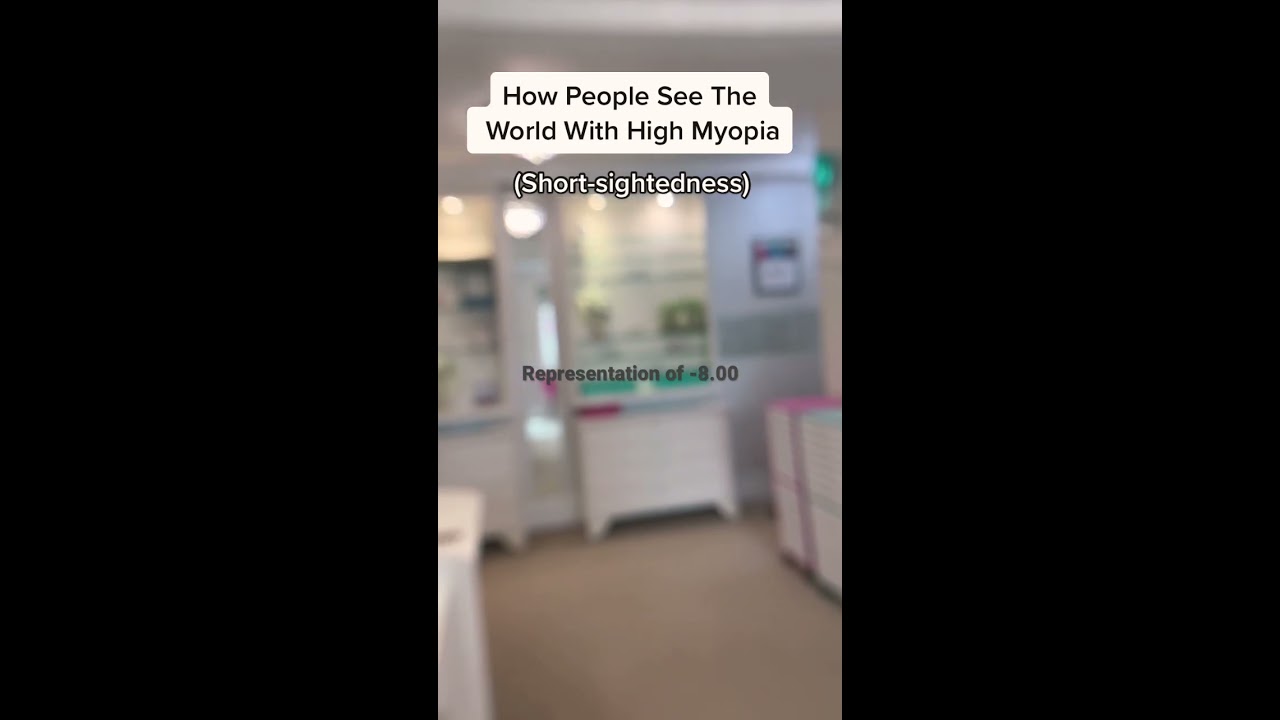
Many parents connect screen time and myopia, and the concern is understandable. Myopia, or nearsightedness, has become more common in many parts of the world, and children are also spending more time indoors with digital devices. The overlap is real, but the relationship is not as simple as one device causing one diagnosis.
Myopia develops when the eye grows too long from front to back, causing distance vision to blur. Genetics matter. A child with one or two myopic parents has a higher risk. Environment also matters, especially the balance between near work and time outdoors. Research over the past two decades has consistently linked more outdoor time with a lower risk of developing myopia in children. The protective effect appears to involve exposure to bright outdoor light and possibly other visual and biological factors, not simply “looking far away,” although distance viewing probably helps reduce near-focus load too.
Near work is also part of the picture. Long periods of close reading or device use, especially at very short distances, may be associated with myopia progression in some children. Screens are not magic in this respect. A phone held 15 centimeters from the face can create a heavy near demand, but so can a book held at the same distance. The difference is that devices tend to hold attention longer, follow children from room to room, and blur the boundary between homework and leisure.
The most defensible advice is balanced, not alarmist. Children should have daily outdoor time when possible. They should avoid marathon stretches of near work. They should keep screens and books at a reasonable distance. And if a child is already myopic, parents should discuss evidence-based myopia management options with an eye care professional rather than relying on screen restrictions alone.
The homework setup that quietly protects vision
A good homework station does not need to look like a catalog photo. It needs to fit the child’s body, reduce glare, and make close work less physically demanding.
The most common problem I see is the “folded child” posture: chin near the page, shoulders rounded, one leg tucked under, pencil gripped tightly, face drifting closer as concentration increases. This posture narrows the working distance and increases strain. It can also hide vision issues because the child compensates by moving closer rather than saying the page is blurry.
A more protective setup starts with the chair. The child’s feet should rest on the floor or on a stable foot support. Dangling feet make the whole body optometrist less stable, and an unstable body often becomes a slumped body. The work surface should allow the forearms to rest comfortably without raised shoulders. Younger children may need a cushion or adjustable chair, not because comfort is a luxury, but because body position affects viewing distance.
Lighting should be bright enough for paper tasks without creating glare on screens. A desk lamp works best when it shines from the opposite side of the writing hand, so the child’s hand does not cast a shadow over the page. For screen use, the room should not be dark except for the glowing device. A bright screen in a dark room creates a harsh contrast that many children tolerate in the moment but feel later as fatigue.
Distance matters. For books and paper, a useful guide is the child’s forearm length from elbow to knuckles. That tends to create a natural https://www.opticoreyegroup.com/blog/what-is-myopia-and-how-is-it-treated.html reading distance. For tablets and laptops, farther is usually better. A laptop placed on a table is easier on the eyes than a phone held close to the face. A tablet in a stand, paired with an external keyboard for longer typing, can help keep the screen from creeping closer and closer.
Small changes can make a visible difference. I have watched children who complained of headaches during reading improve simply by using a slanted writing surface, better lighting, and scheduled pauses. That does not mean every headache is caused by posture or lighting, but it shows how much the visual system responds to the conditions we give it.
Breaks that children will actually take
The common “20-20-20” rule is a reasonable starting point: every 20 minutes, look about 20 feet away for about 20 seconds. It is memorable and easy to teach. In real homes, however, children do not always follow it neatly. A seven-year-old writing sentences may not track twenty minutes accurately. A teenager in the middle of an online assignment may ignore reminders if they feel disruptive.
Breaks work better when they are attached to natural transitions. After one worksheet, look out the window. After a chapter, stand up and stretch. After a level in a learning app, put the tablet flat on the table and focus across the room. The exact timing matters less than preventing long, unbroken near-focus sessions.
For younger children, parents may need to make breaks physical. Ask the child to carry a paper to the kitchen counter, check something outside, refill a water bottle, or read the next spelling word posted across the room. The goal is not only rest from the screen. It is a shift in distance, posture, and attention.
For older children, autonomy helps. A teenager may respond better to a timer they control, especially if the message is performance rather than restriction. Visual breaks can improve comfort and concentration. They are not punishment for using a device.
Here is a compact routine that works well in many households:
- Start homework with the device or book at a proper distance, not in the lap.
- Pause after 20 to 30 minutes of close work and look across the room or out a window.
- Stand up during longer breaks, even if only for one minute.
- Keep water nearby, since dry eyes often feel worse when children are tired or dehydrated.
- End the session by putting screens away from the bed, especially for younger children.
That is one list, and it is short because the habit has to be livable. Families do not need a complicated protocol. They need a repeatable rhythm.
Outdoor time eye health: the habit with benefits beyond vision
If parents could choose only one lifestyle habit to support long-term eye health, outdoor time would be near the top of the list. For myopia prevention in particular, time outdoors has some of the strongest population-level support. Many eye care professionals encourage roughly two hours outdoors per day when feasible, though families should treat that as a practical target rather than a moral test. Weather, neighborhood safety, school schedules, disability, allergies, and caregiving realities all affect what is possible.
Outdoor time eye health benefits do not require organized sports. A child does not need to be athletic to benefit from being outside. Walking to school, playing in a yard, visiting a park, reading on a shaded porch, helping wash a car, or kicking a ball around all count. Bright outdoor light is much stronger than typical indoor lighting even on cloudy days. The difference is not subtle. Indoor rooms that feel bright to us are often dim compared with outdoor environments.
There is a trade-off, of course. Sun protection still matters. Children should wear hats, sunglasses with proper ultraviolet protection when appropriate, and sunscreen for skin safety. The goal is not unprotected sun exposure for hours. It is regular time outdoors in a sensible way.
In families with heavy homework demands, outdoor time may need to happen before the work begins. Many children do better with a decompression period after school: snack, outdoor play, then homework. Waiting until all assignments are complete can mean outdoor time disappears, especially in winter. For older students, a walk after school or after dinner can break up long study blocks and reset attention.
A useful reframing is this: outdoor time is not the reward after all the “important” tasks. For growing eyes and bodies, it is one of the important tasks.
How to reduce digital eye strain kids may not describe clearly
Digital eye strain kids experience often has several causes at once. The screen may be too close, the brightness too high, the text too small, the room too dim, the session too long, or the child may need glasses. Because the symptoms overlap, the solution is usually layered.
Start with screen distance and size. Phones are the hardest devices for sustained schoolwork because they are small and usually held close. If a child must use digital content for homework, a larger screen placed farther away is preferable. A laptop or desktop monitor is often better than a tablet, and a tablet is often better than a phone for reading assignments. When a tablet is used, a stand helps. Without one, children tend to curl over the screen.
Text size should be large enough that the child does not lean forward. Increasing font size is not cheating, and it does not weaken the eyes. It reduces unnecessary effort. The same is true for using good contrast, such as dark text on a light background, unless a child has a specific comfort preference.
Screen brightness should match the room. Too bright can feel piercing, while too dim encourages squinting and leaning in. Auto-brightness settings are helpful but not perfect. At night, reducing brightness and using warmer color settings may improve comfort, though blue-light filtering glasses have not been proven to prevent eye disease in children. The larger issue with evening screens is often sleep disruption and prolonged close focus, not blue light alone.
Blinking deserves more attention than it gets. Children staring at games, videos, or detailed digital tasks often blink incompletely. Dryness follows. A child may rub the eyes, complain of burning, or blink hard. Encouraging full blinks during breaks can help. In some cases, especially for children with allergies or dry eye symptoms, an eye care clinician may recommend lubricating drops, but parents should not start medicated drops without guidance.
Content also changes visual behavior. A calm reading app may allow natural pauses. Fast games and short videos encourage intense, uninterrupted staring. Video calls can be tiring because the child tries to attend to faces, slides, chat boxes, and their own image at the same time. If a child complains more after certain digital activities, it is worth adjusting that activity rather than blaming all screens equally.
The signs that deserve an eye exam
Some vision problems hide in plain sight. A child can pass a basic school screening and still have trouble with eye teaming, focusing, or early refractive error. Screenings are useful, but they are not a substitute for a comprehensive eye exam when symptoms appear.
Parents should pay attention to patterns. One rough evening after a long school day is not necessarily a problem. Repeated complaints, avoidance, or visible strain deserve follow-up. Teachers may notice clues too, such as losing place while reading, copying slowly from the board, or performing better orally than on written work.
Watch for these signs:
- Frequent headaches during or after reading, homework, or device use.
- Squinting, closing one eye, covering one eye, or tilting the head.
- Holding books or screens very close, or moving closer to the television or board.
- Eye rubbing, excessive blinking, watery eyes, or complaints of burning.
- Avoiding reading, losing place often, or showing a sudden drop in school performance.
An exam is especially important if there is a family history of myopia, amblyopia, strabismus, or other eye conditions. Children may not know that their vision is blurry if it has always looked that way to them. They assume everyone sees the board as a soft haze or feels tired after two pages.
Parents sometimes worry that glasses will make a child’s eyes dependent on correction. That belief has kept many children uncomfortable longer than necessary. Proper glasses do not weaken the eyes. They give the visual system a clear image and reduce compensatory strain. If myopia is progressing, modern management may include specially designed contact lenses, certain spectacle lens designs, or low-dose atropine in selected cases, depending on the child and local clinical guidance. Those decisions belong in a professional exam room, not in guesswork at the kitchen table.
Homework habits for children who already wear glasses
Glasses help only when they are worn as prescribed. That sounds obvious, but many children remove them during homework because the frames slip, the lenses are smudged, or they believe glasses are only for seeing the board. Some prescriptions are meant for distance, some for near, and some for full-time wear. Parents should make sure they understand the instructions.
Fit matters. A frame sliding down the nose changes where the child looks through the lenses. Scratched or dirty lenses reduce clarity and can increase glare. Children are not always bothered enough to clean them properly. A microfiber cloth near the homework area is a small but worthwhile tool.
For children with myopia, near work habits still matter. Glasses correct blur, but they do not cancel the effects of very close working distances or endless indoor study. A myopic child should still hold reading material at a reasonable distance, take breaks, and spend time outdoors. If myopia is progressing quickly, routine follow-up is important. Many clinicians monitor children every six to twelve months, sometimes more often when treatment is underway.
For children with hyperopia, astigmatism, focusing issues, or binocular vision problems, fatigue may show up more during near work than distance viewing. These children may see “well enough” for short tasks but struggle with stamina. If a child’s behavior improves on weekends or during school breaks, then worsens with reading load, that pattern is useful information for the eye doctor.
Managing screens without turning the home into a battleground
Parents often feel trapped between school requirements and health concerns. One teacher assigns online math, another posts reading passages digitally, and the child also wants entertainment on the same device. A blanket screen limit may sound clean, but it can be hard to enforce and may not distinguish between necessary work and recreational use.
A better approach separates purpose, duration, and device type. Thirty minutes of school reading on a laptop at a desk is not the same visual experience as thirty minutes of videos on a phone in bed. The first may be necessary and reasonably controlled. The second is more likely to be close, passive, prolonged, and disruptive to sleep.
House rules work best when they are specific. Devices stay out of the bedroom at night. Homework screens happen at a table when possible. Phones are not used for long reading assignments if a larger device is available. Breaks are part of the assignment, not optional. These rules protect health without suggesting that technology itself is forbidden or shameful.
There are edge cases. Some children rely on tablets for accessibility, including enlarged text, text-to-speech, communication tools, or visual supports. Some children with attention difficulties focus better with certain digital formats. Some families have limited space or only one shared device. The goal is not a perfect ergonomic setup. The goal is to improve the highest-impact factors within real constraints: distance, breaks, lighting, outdoor time, and symptom awareness.
When a child resists, avoid long lectures about future eye disease. Children respond better to immediate benefits. “Your eyes will feel better if the tablet stays on the stand” lands more effectively than a warning about myopia statistics. For teens, connect habits to performance, fewer headaches, better sleep, and less fatigue.
Sleep, screens, and the eyes the next morning
Eye comfort does not reset fully if sleep is poor. Late-night device use affects children in several ways. It extends near work into the period when the visual system is already tired. It may delay sleep, especially when the content is interactive or emotionally stimulating. It also keeps the eyes open and engaged when blinking may be reduced.
Morning symptoms can follow. A child may wake with irritated eyes, light sensitivity, or trouble shifting into school tasks. Parents may blame allergies or attitude, and sometimes those are factors, but late device use deserves a look.
The bedroom is a powerful boundary. Younger children usually do best when devices charge outside the room. Older children may need an alarm clock that is not their phone, or a charging station in a shared area. If a teen must use a device for late homework, a larger screen at a desk with a planned stop time is better than finishing assignments curled in bed with a phone.
Sleep also affects myopia indirectly through routine. A tired child is less likely to go outdoors, more likely to choose passive screen entertainment, and more likely to slump during homework. Vision habits rarely stand alone. They are tied to the family’s rhythm.
What teachers and parents can coordinate
Schools play a large role in children’s visual demand. Many classrooms now use digital boards, tablets, laptops, and online portals. Teachers may not be able to change the curriculum, but small adjustments help.
A child who struggles to copy from the board may need a seat closer to the front, printed notes, or permission to photograph assignments. A student with eye teaming problems may need shorter copying segments. A child with myopia may simply need updated glasses. Parents should share relevant exam findings with the school, especially when visual issues affect reading speed, copying, or stamina.
Homework design also matters. Long digital assignments with small fonts can be unnecessarily taxing. If a child consistently takes far longer than expected, parents should document the time and symptoms. “She had a headache after 25 minutes and needed three breaks to finish” is more useful than “homework is too much.” Specific observations help teachers adjust expectations or suggest support.
For children using school-issued devices, parents should check display settings. Font size, contrast, brightness, and zoom can often be adjusted. Many children never explore those settings and assume discomfort is part of the task.
Building habits by age
Preschool and early elementary children need adult-managed environments. They should not be expected to remember visual breaks or judge screen distance. Parents can set up the table, place the tablet in a stand, limit short-device sessions, and build outdoor play into the day. At this age, watch for sitting very close to books or screens, eye turns, clumsiness related to depth judgment, or resistance to picture books.
Middle-grade children can begin to understand cause and effect. They can learn that eyes need distance changes just like legs need movement. They may enjoy choosing a timer sound, arranging a desk lamp, or tracking outdoor play. This is also an age when myopia often appears, so complaints about the board, sports vision, or road signs should be taken seriously.
Teenagers need respect and clear expectations. Their academic load may require long reading and computer sessions. Rather than demanding unrealistic screen limits, focus on workstation quality, scheduled breaks, outdoor exercise, and eye exams. Teens also need direct conversations about contact lens hygiene if they wear lenses. Sleeping in contacts not approved for overnight wear, topping off old solution, or stretching replacement schedules can create real risk.
Across all ages, the habit that works is the one the child will repeat. A beautiful plan that collapses by Tuesday is less useful than a modest routine practiced most days.
A realistic family routine for healthier eyes
A healthy vision routine does not need to dominate the evening. It can fit into ordinary family life. After school, the child gets a snack and some outdoor time if weather and schedule allow. Homework happens at a table with decent lighting. The book, paper, or screen starts at a reasonable distance. Every half hour or so, the child looks far away or stands up. Recreational screen time, if allowed, uses the largest practical screen rather than a phone held close for an hour. Devices leave the bedroom before sleep.
Some days will not follow the plan. Travel, illness, exams, winter darkness, and family stress all interfere. That is normal. Vision habits protect best as a pattern, not as a single perfect day. Parents should aim for consistency without turning every posture slip into a correction. Too much nagging can make children tune out. It is better to adjust the environment quietly: move the lamp, raise the screen, hand over a stand, suggest a window break, schedule the next eye exam.
The larger message is reassuring. Children’s eyes are not fragile objects that fail after a cartoon or a long worksheet. They are living systems that respond to daily conditions. Give them distance changes, light, outdoor time, good correction when needed, and relief from uninterrupted close work. Those habits support comfort now and may reduce risk over time, especially for children prone to myopia.
Parents do not need to choose between learning and eye health. With sensible children vision habits, homework and device use can become less tiring, more productive, and easier on the eyes that children depend on all day.
Phone:
(657) 445-2160
Website:
opticoreyegroup.com/brea-ca.html
Opticore Optometry Group, PC - BREA, CA
2500 E Imperial Hwy, Ste 196,
Brea,
CA
92821